PrimePlus Premium: 45 GB a Day and How to Activate a Code
Updated ·RapidQuick editorial team (TUOPIC Co., Ltd.)
The short answer
PrimePlus premium lets you download up to 45,000 MB (45 GB) a day, at maximum speed, with multiple downloads at once (as shown on the official site in October 2026).
PrimePlus is part of the same group as Keep2Share, Fileboom and TezFiles, and codes work the same way.
To use your code, log in to PrimePlus, open the reseller code page (primeplus.pro/reseller-code), paste the code and click "Activate my code".
What PrimePlus premium includes
The premium page on the official PrimePlus site says the following:
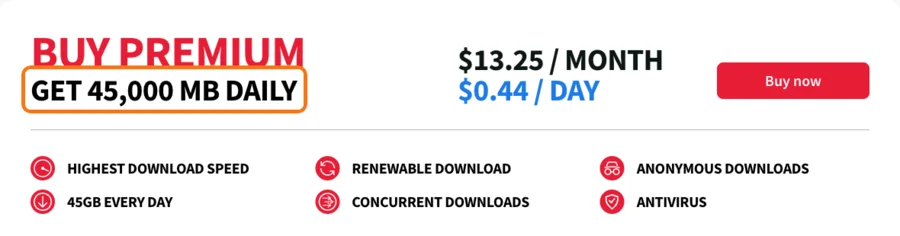
- Downloads at maximum speed
- Up to 45 GB of downloads a day (resets daily)
- Multiple downloads at once
- Anonymous downloads and virus checks
The daily limit resets every day. If you sometimes download more than 45 GB in a day, Keep2Share MAX (100 GB a day) from the same group is another option.
Choosing a plan length
RapidQuick sells 30, 90, 180 and 365 days. The longer the plan, the lower the price per day.
- Just want to try it: 30 days
- Using it for a few months: 90 or 180 days
- Using it all year: 365 days
None of them renew automatically. The plan simply ends when it expires.
How to use the activation code
When you buy from RapidQuick, you get an activation code by email and on your account page.
- Log in to PrimePlus (primeplus.pro). If you don't have an account, create one for free with "Sign Up".
- Open the reseller code page (primeplus.pro/reseller-code).
- Paste the code into the "Input activation code" field and click "Activate my code".
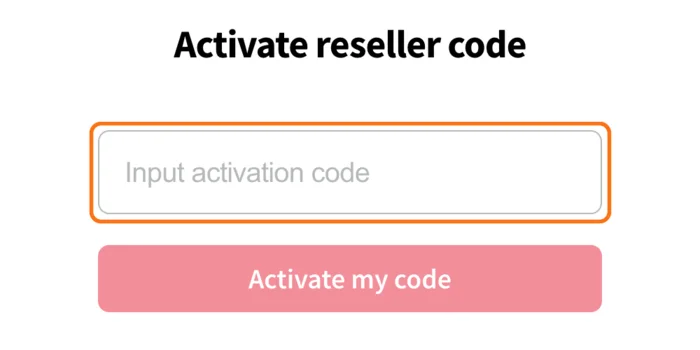
Unlike Keep2Share and Fileboom, the PrimePlus code page address is "reseller-code", not "auth/activationcode" (confirmed with the group's official support). If you pick a plan on the premium purchase screen and go to payment, you will be charged separately from the code. Use this page, not the purchase screen.
When you copy the code, make sure no spaces or line breaks get added before or after it.
If the code doesn't work
The official help of the group that runs PrimePlus says that if a code bought from a reseller has a problem, you should contact the reseller first. RapidQuick is an official reseller for this group. Please contact us with your order number.
FAQ
Q. How much can I download per day with PrimePlus premium?
According to the official site, up to 45,000 MB (45 GB) a day. The limit resets every day.
Q. Where do I enter a PrimePlus code?
Log in to PrimePlus, open primeplus.pro/reseller-code, paste the code into the "Input activation code" field and click "Activate my code".
Q. How is it different from Keep2Share?
They are in the same group but are separate sites. Each code is for its own site, so use a PrimePlus code on PrimePlus and a Keep2Share code on k2s.cc.
Q. Do purchased codes expire?
According to the operator's official support, codes have no expiry date before they are activated.