Activate a Keep2Share, TezFiles or Fileboom Key
Aggiornato ·Redazione RapidQuick (TUOPIC Co., Ltd.)
In breve
Keep2Share, TezFiles and Fileboom activation keys are 40 characters long. Log in to the site first, open k2s.cc/auth/activationcode, tezfiles.com/auth/activationcode or fboom.me/auth/activationcode, paste the key and confirm: the account you are logged in to gets a fixed number of premium days.
Each key works only on the site it was bought for, and the plan (PRO / MAX on Keep2Share, Silver / Gold on TezFiles, and so on) must match your account. A key for a different plan cannot be used while another premium is active.
An activation key is used once and does not renew automatically. PrimePlus belongs to the same group but uses a different page: primeplus.pro/reseller-code.
The same activation page on all three sites
Keep2Share, TezFiles and Fileboom belong to the same group, and their activation pages follow the same pattern (checked on November 11, 2026).
| Service | Site to log in to | Activation page |
|---|---|---|
| Keep2Share | k2s.cc | k2s.cc/auth/activationcode |
| TezFiles | tezfiles.com | tezfiles.com/auth/activationcode |
| Fileboom | fboom.me | fboom.me/auth/activationcode |
The official Keep2Share help says the same: after payment the reseller sends a 40-character activation code (for example 3be4cc6265f7e28da49dc4cdc357b4de0389199d); log in at k2s.cc and activate it at k2s.cc/auth/activationcode.
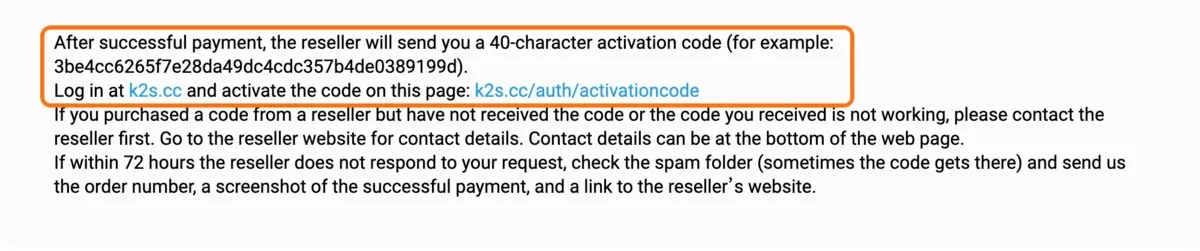
A key works only on the site it was bought for. A Keep2Share key cannot be entered on tezfiles.com, and a TezFiles key cannot be entered on k2s.cc.
Step by step
- Have the key ready: when you buy from us, the activation key arrives by email and on your order page. Copy all 40 characters.
- Log in to the site: log in to the site the key is for (k2s.cc, tezfiles.com or fboom.me). If you have no account, sign up for free with "Sign Up" using a Google account or an email address.
- Open the activation page: open the address from the table above (for example k2s.cc/auth/activationcode).
- Paste and confirm: paste the key and confirm. Make sure no space or line break comes along before or after it.
- Check the days: the premium days are added to the account you are logged in to. Check the end date on your account page.
If you open the activation page without being logged in, you are sent to the login screen below. Log in, then open the activation page address again.
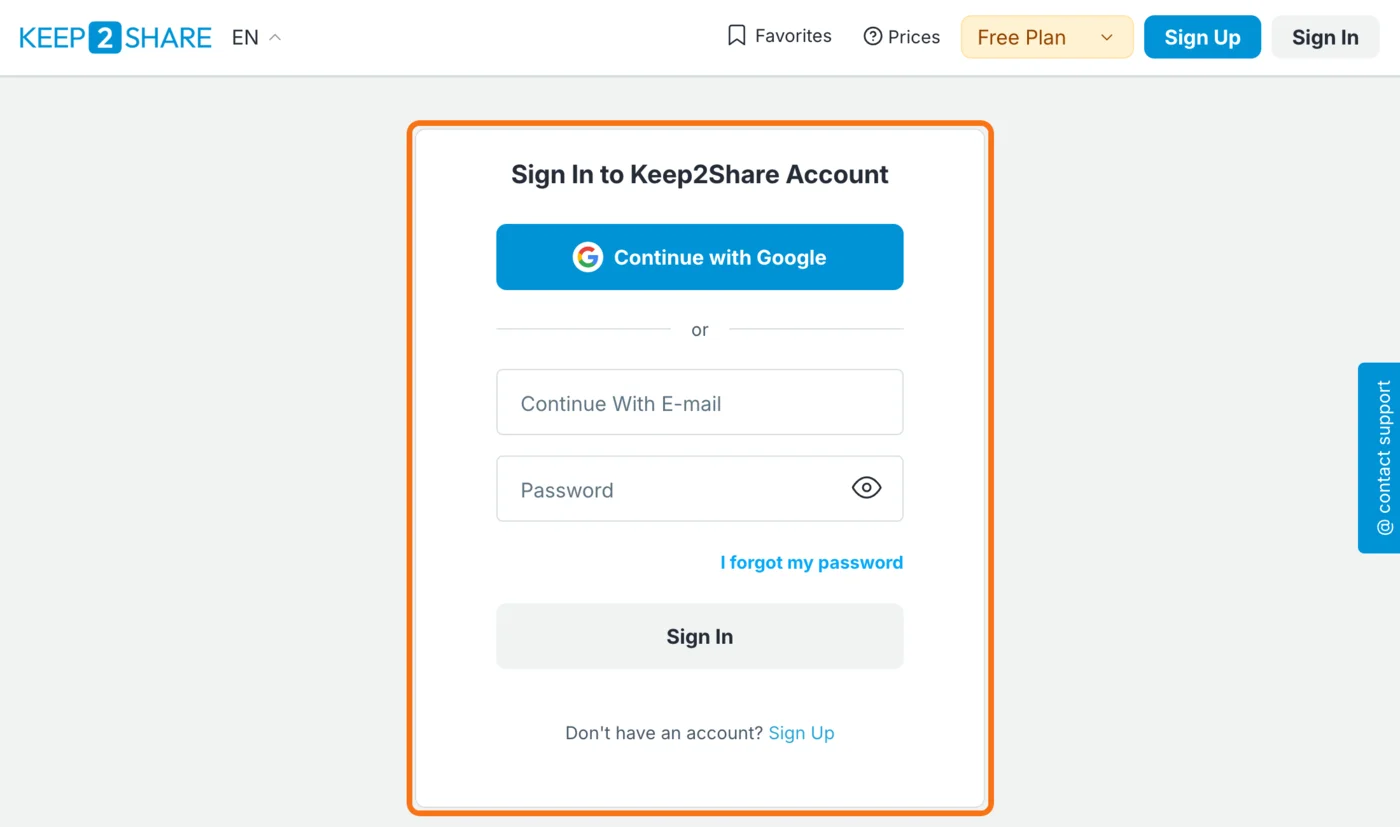
TezFiles and Fileboom behave the same way and send you to tezfiles.com/auth/login or fboom.me/auth/login.
Keep2share Chiave di attivazione Premium (PRO)3 piani · da $35.73Vedi piani e prezzi →Match your plan before buying
Choose a key for the same plan your account already uses. A key for a different plan cannot be used while another premium is active.
| Service | Plan names |
|---|---|
| Keep2Share | PRO (Premium Pro) / MAX (Premium Max) |
| TezFiles | Silver / Gold (each as regular and Max) |
| Fileboom | Premium / PRO / MAX |
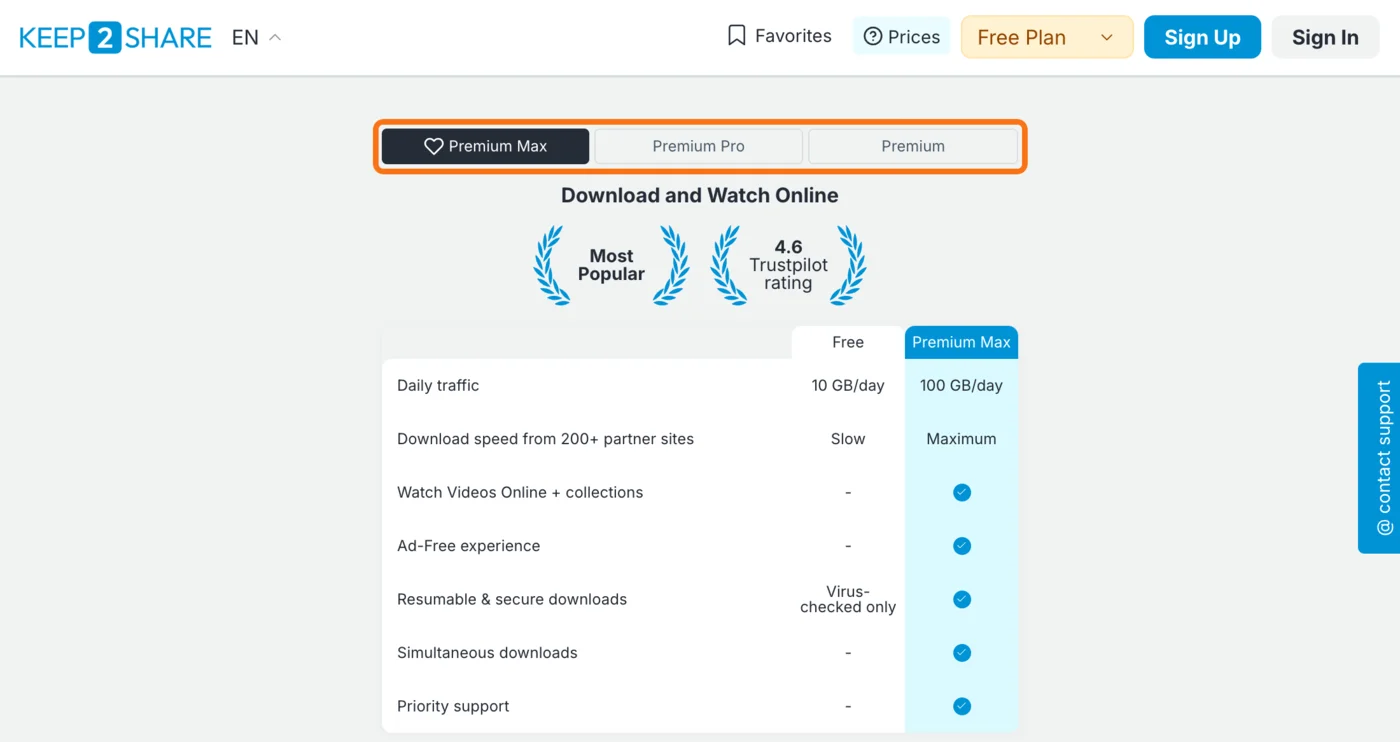
On an account that has never had premium, any plan works. The tabs on each site's prices page show the daily download amount of each plan.
Do not open a second account to use a key. The official Keep2Share help says it does not allow multiple accounts for one user and deletes them when found.

Start downloading
- Only files on that site: Keep2Share premium works for files stored on k2s.cc. TezFiles and Fileboom links need premium on their own site.
- Stay logged in: open download pages while logged in to the account with premium. In another browser or on your phone, log in to the same account again.
- Daily amount: the official Keep2Share help says the daily download amount resets at 00:00 GMT every day.
- Download managers: the official Keep2Share help says download managers such as JDownloader or Internet Download Manager can raise your speed and resume interrupted downloads.
For slow or stopped downloads, see Keep2Share slow or not downloading: causes and fixes.
No automatic renewal
An activation key adds a fixed number of days once, and premium simply ends when they run out. There is nothing to cancel. The free trial and monthly plans bought on the official site do renew automatically; see Keep2Share free trial and auto-renewal for the difference.
If the key is not accepted
- Paste error: check that all 40 characters are there with no spaces around them, and paste again.
- Wrong site: Keep2Share, TezFiles and Fileboom keys each work on their own site only. Check that the product name matches the site you are logged in to.
- Wrong plan: the key cannot be used while premium on a different plan is still active on the account.
- Not logged in: if the activation page turned into the login screen, log in and open it again.
The official Keep2Share help asks buyers to contact the reseller first when a key bought from a reseller does not arrive or does not work. For a key from us, reply to the delivery email with a screenshot of the message you saw. Unused keys can be refunded within 7 days of delivery; activated keys cannot be refunded.
PrimePlus uses a different page
PrimePlus belongs to the same group, but its activation page is primeplus.pro/reseller-code and the button is "Activate my code". See PrimePlus premium: how to activate a code for the steps.
For official prices and choosing a plan, see Keep2Share premium price, TezFiles premium price and Fileboom premium price; for the differences between the four sites, see Keep2Share vs TezFiles vs Fileboom vs PrimePlus.
Domande frequenti
Q. Where do I enter a Keep2Share activation key?
Log in at k2s.cc, open k2s.cc/auth/activationcode, paste the 40-character key and confirm. For TezFiles it is tezfiles.com/auth/activationcode, for Fileboom fboom.me/auth/activationcode.
Q. Does a Keep2Share key work on TezFiles or Fileboom?
No. Even within the same group, each key works only on its own site. Pick the key for the site where the files you want are stored.
Q. Can I use a MAX key on an account that still has PRO premium?
Not while premium on a different plan is active. Choose a key for the same plan your account uses. The same applies to Silver / Gold on TezFiles.
Q. Does an activation key renew automatically?
No. The key adds a fixed number of days once, and premium ends when they run out.