Upload42 Premium: Prices, Payment Options, Keys
Bijgewerkt ·Redactie van RapidQuick (TUOPIC Co., Ltd.)
Het korte antwoord
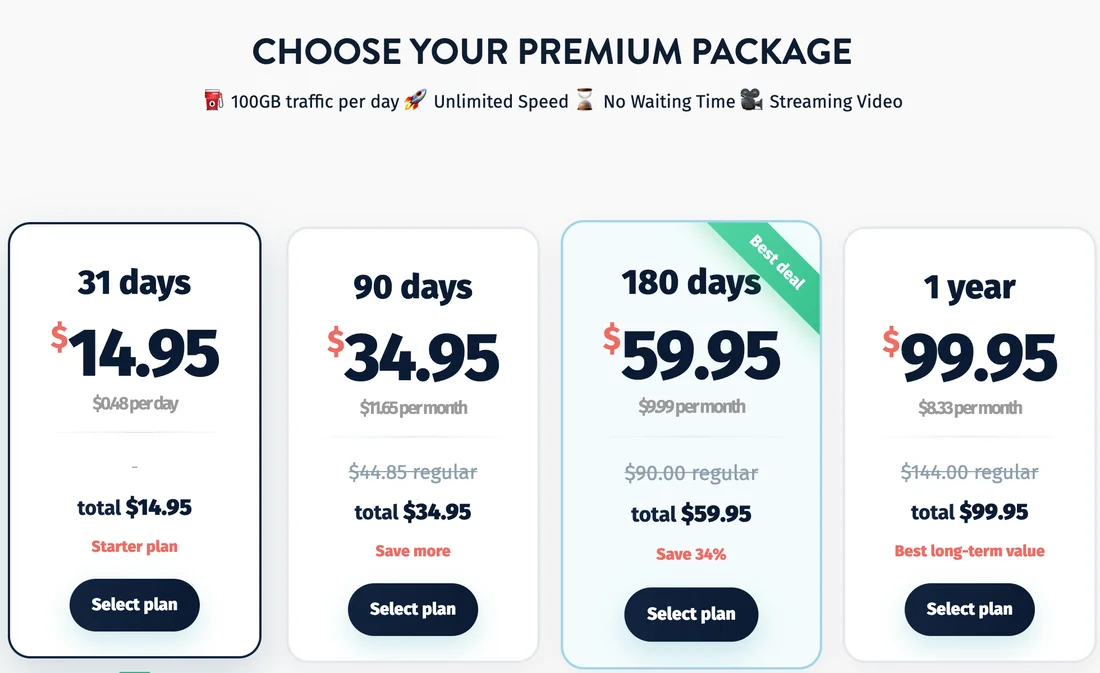
Official Upload42 Premium prices are $14.95 for 31 days, $34.95 for 90 days, $59.95 for 180 days and $99.95 for 1 year. Every plan gives 100GB of traffic a day, unlimited speed, no waiting time and video streaming (November 2026).
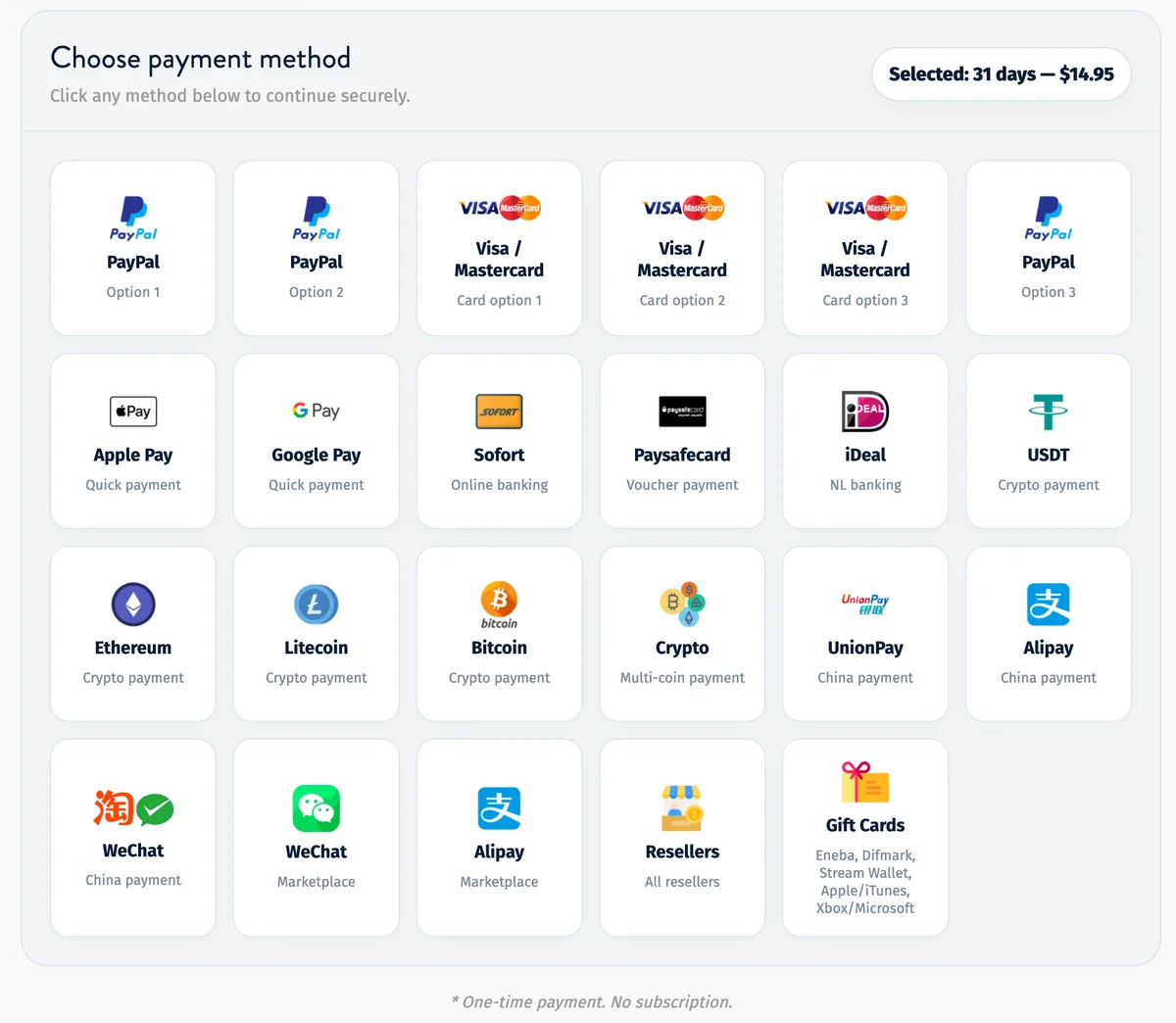
The official payment page says "One-time payment. No subscription." and offers about 25 payment buttons: cards, PayPal, Apple Pay, Google Pay, other methods and a list of resellers. Most buttons hand you over to a reseller or payment partner.
RapidQuick is linked from four of those buttons ("Visa / Mastercard Card option 1", "JCB / AMEX", "Apple Pay Option 1" and "Google Pay Option 1"). You get a Premium key by email in seconds and apply it under My Account → "Apply Premium Key".
Official Upload42 Premium prices
Upload42 sells four Premium plans on its own page (upload42.com → "Upgrade to Premium"). All plans have the same features; only the length changes (November 2026, US dollars).
| Plan | Official price | Per month | Traffic |
|---|---|---|---|
| 31 days | $14.95 | – | 100GB a day |
| 90 days | $34.95 | $11.65 | 100GB a day |
| 180 days | $59.95 | $9.99 | 100GB a day |
| 1 year | $99.95 | $8.33 | 100GB a day |
What Premium includes, as listed on the page: 100GB of traffic per day, unlimited speed, no waiting time and streaming video. The 180-day plan is marked "Best deal" and "Save 34%" against the regular price.
Every payment option on the official page
After you pick a plan, the page shows "Choose payment method" with about 25 buttons, and the line "One-time payment. No subscription." under them. Most buttons do not take the payment on upload42.com itself: they send you to a reseller or a payment partner for that plan.
| Payment option on upload42.com | Where it goes |
|---|---|
| Visa / Mastercard Card option 1 | RapidQuick |
| JCB / AMEX (Alternative cards) | RapidQuick |
| Apple Pay Option 1 | RapidQuick |
| Google Pay Option 1 | RapidQuick |
| Other payment methods (card options 2–4, PayPal, Apple Pay / Google Pay Option 2 and more) | Other resellers and payment partners |
| Resellers | Upload42's list of all resellers |
Each partner sets its own final price and fees, so the amount at checkout can differ from the list price above. Check the total before you pay.
Buying an Upload42 key from RapidQuick
RapidQuick is the reseller behind the four outlined buttons. We are a registered company in Japan (TUOPIC Inc.) and sell to buyers worldwide.
- What you get: an Upload42 Premium key by email within seconds, also shown on the order page.
- How you pay: card (Visa, Mastercard, JCB, AMEX), Apple Pay or Google Pay. One payment, no subscription, nothing renews.
- Refunds: an unused key can be refunded in full within 7 days.
Our prices (charged in yen; your card shows the converted amount):
| Plan | RapidQuick |
|---|---|
| 31 days | $19.52 |
| 90 days | $44.78 |
| 180 days | $76.41 |
| 365 days | $127.04 |
Before fees, Upload42's own list prices are lower than ours. We suit buyers who want to pay with a card, Apple Pay or Google Pay in one step and get the key right away. See all plans on the Upload42 Premium product page.
How to apply an Upload42 Premium key
- Find the key in the delivery email or on your order page.
- Log in to your upload42.com account. The key adds Premium time to the account you are signed in to, so create a free account first if you do not have one.
- Open "My Account" in the top menu, paste the key into "Apply Premium Key" and click "APPLY".
Paste the key without spaces before or after it. Extra spaces can make a valid key fail.
If the key is not accepted, reply to the delivery email with your order number and we will check it with you.
Veelgestelde vragen
Q. How much is Upload42 Premium?
On upload42.com: $14.95 for 31 days, $34.95 for 90 days, $59.95 for 180 days and $99.95 for 1 year (November 2026). Every plan gives 100GB of traffic a day.
Q. Is Upload42 Premium a subscription?
No. The official payment page says "One-time payment. No subscription." Premium keys from RapidQuick are also one-time purchases and never renew.
Q. Can I pay for Upload42 with Apple Pay or Google Pay?
Yes. On the official payment page, "Apple Pay Option 1" and "Google Pay Option 1" lead to RapidQuick, where you pay with Apple Pay, Google Pay or a card and receive a Premium key by email.
Q. Where do I enter an Upload42 Premium key?
Log in to upload42.com, open "My Account" in the top menu, paste the key into "Apply Premium Key" and click "APPLY".